
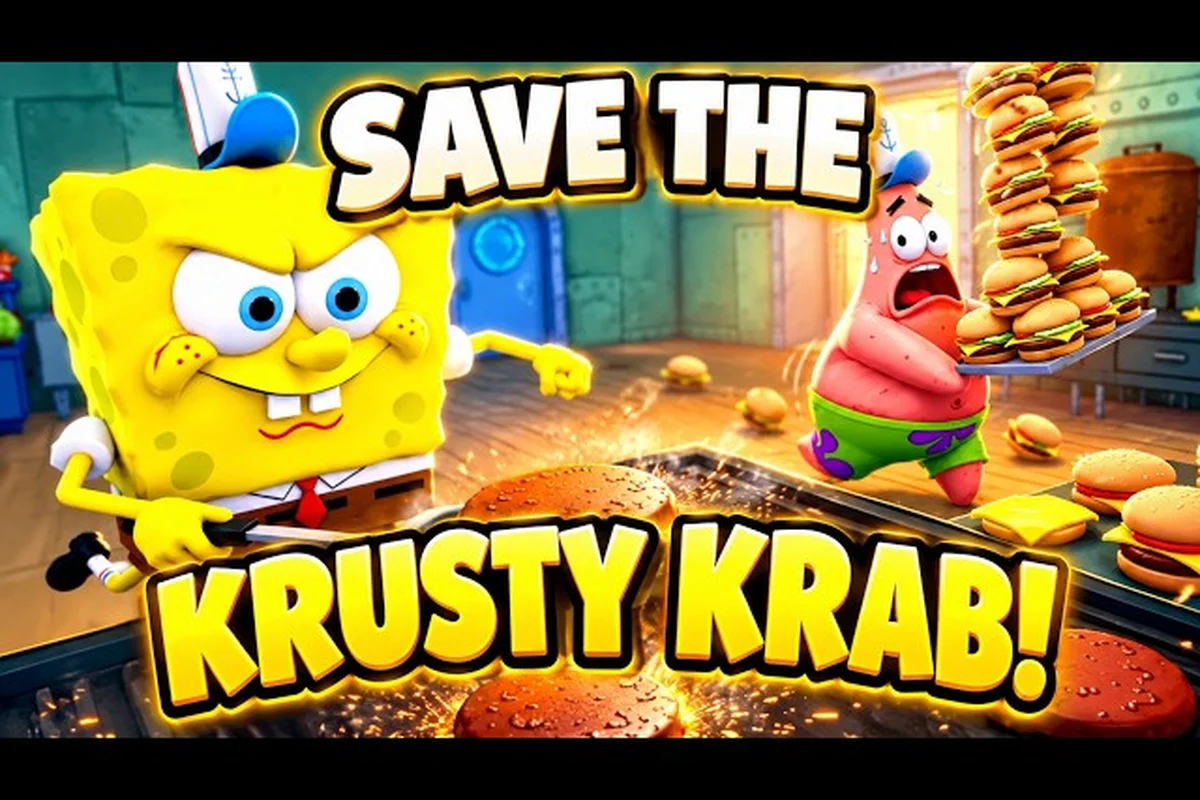
A Save the Krusty Krab tutorial skip guide helps you move past early prompts, understand the menus, and reach your first shift without wasting time. The important distinction is that scripted scenes may require specific actions, while regular dialogue can usually be advanced normally.
A beginner walkthrough by Ricoko Tutorial and Showcase shows the opening sequence and early objectives that a new player meets before normal service starts, which is the part most players want to move through quickly.
Tutorial Skip Guide: What You Can and Cannot Skip
Save the Krusty Krab includes several introductory sequences, but not every prompt behaves like a standard cutscene. Some conversations advance with a normal button, while scripted events require you to complete a task such as preparing a requested meal or taking a patty to the dumpster. Knowing which type is on screen prevents missed objectives.
| Screen type | What usually happens | Best response |
|---|---|---|
| Standard dialogue | A character speaks while the scene remains open | Press the displayed advance or skip control once |
| Task-based scene | A request appears in the objective area | Complete the requested action before leaving |
| Shift briefing | The game explains the next work phase | Read it, then use the normal continue control |
| Replayable tutorial | Guidance appears during play | Follow the on-screen instruction instead of trying to leave |
This Save the Krusty Krab tutorial skip guide should not be interpreted as a promise that every cinematic can be bypassed instantly. Community field notes describe the health inspector sequence as a scripted multi-step interruption: read the clipboard request, prepare the requested meal, take a patty to the dumpster to create the nasty patty, and then deliver it. Trying to skip that sequence may leave the objective active.
Recognize the health inspector interruption
The health inspector event is the clearest example of a tutorial-like sequence that may not be skippable. It looks like a customer visit at first, but the order is not a normal food request. The clipboard establishes the requested meal, and the dumpster step creates the nasty patty required for delivery.
Use this short sequence to avoid losing time: the health inspector encounter is a tutorial-style objective, not a skippable customer order. It begins with the clipboard request, then requires the nasty patty to be prepared at the proper workstation and taken to the dumpster before delivery. The objective updates only after the inspector receives the completed item; prematurely interacting with a control can leave the required interaction incomplete and force you to repeat the sequence.
-
Read the clipboard request carefully.
-
Prepare the requested meal at the appropriate station.
-
Take a patty to the dumpster to create the nasty patty.
-
Deliver the completed item to the health inspector.
-
Return to your regular workstation when the objective updates.
Player reports are the best available evidence for this particular event because the sequence is not accompanied by published numerical data. Its steps are more reliable than a guessed button combination or a time-saving exploit. If a control appears, use it only after the required interaction has been completed.
Cutscene Guide for Faster Progression
A useful Save the Krusty Krab cutscene guide starts by separating visual spectacle from required gameplay. The game uses character dialogue to establish instructions, but a cutscene can still include an objective. The safest rule is to watch for movement, inventory changes, or a task prompt before pressing skip.
| What you see | Likely purpose | Skip strategy |
|---|---|---|
| Portrait or close-up camera | Dialogue introduction | Advance normally, then skip if the option appears |
| Camera follows a character | Story transition | Watch for task-related actions |
| Clipboard or order marker | Interactive request | Complete the request before continuing |
| Control hint during play | Active tutorial | Follow the indicated action |
| Objective list appears | Shift begins | Read the list, then start work |
The opening routine matters more than how quickly you dismiss the first conversation. According to community gameplay, a strong shift begins by clocking in, checking the day’s customer count, pre-grilling a small buffer of patties, stocking drinks, and confirming that the trash bin and mop are free. This routine prevents the first customer wave from meeting an empty station or an already dirty workstation.
The community video Save the Krusty Krab Tips for Beginners to End Day Fast by Ricoko Tutorial and Showcase shows the same practical approach: prepare a small buffer, keep supplies available, and deal with cleanup before it accumulates. Its routine is observational guidance rather than an official speed record, but the steps are easy to apply during the first shift.
Do not rush a required cutscene
Sometimes the fastest route is simply completing the interaction and returning to the station. The health inspector sequence, for example, may not offer a conventional skip. Attacking a normal order as though it were the scripted event can create confusion, especially when the objective text changes to request preparation, disposal, and delivery.
A good routine is to look for three signals before pressing anything: the current objective wording, the available interaction prompt, and whether the camera has handed control to a dialogue sequence. For example, if the order station still accepts Collect Order and Cook Order while the objective asks you to prepare a burger, the tutorial is still in its active task loop; pressing a skip input may only waste time or interrupt the work order.
-
Objective text: Does it name a specific action or item?
-
Interaction prompt: Is the player allowed to pick up, cook, discard, or deliver something?
-
Camera control: Has the scene released movement and presented a dialogue control?
If the answers indicate an active task, prioritize the task rather than repeatedly testing skip controls that are unavailable. For example, when Collect Order and Cook Order remain available, finish that work-order loop before attempting another tutorial skip; interrupting the station can waste more time and obscure the next objective. If the objective text changes to request preparation, disposal, or delivery, follow that instruction until the station recognizes the action, then recheck the menu and camera. This creates a repeatable decision process when a newer build changes the interface.
Menu Navigation Guide for Every Platform
The Save the Krusty Krab menu navigation guide is simpler than it looks because the game is available through Roblox on PC, mobile, tablet, and console. The exact button may differ by device, but the menu hierarchy follows a consistent pattern: pause, options, controls or settings, and return to gameplay.
| Device | Common input method | Practical control advice |
|---|---|---|
| PC | Keyboard and mouse | Assign familiar keys and keep the movement key easy to reach |
| Mobile | Touch controls | Use larger drag and tap areas, then test the camera |
| Tablet | Touch controls | Account for hand position and screen size |
| Console | Controller | Confirm the interaction and menu focus behavior before the first shift |
The menu navigation process generally starts by opening the pause interface during a safe moment, such as before the first customer arrives. Check the controls or settings entry, review the movement, camera, and interaction options, and return to the game. Avoid changing multiple options in one session because it becomes harder to tell which setting caused an unwanted behavior.
| Menu goal | What to verify | Why it matters |
|---|---|---|
| Movement | Directional input works consistently | Prevents missed stations and awkward turns |
| Camera | Rotation and zoom are comfortable | Helps spot customers and dirty areas |
| Interaction | Pickup, place, serve, and clean prompts are clear | Reduces wasted actions |
| Display | Text and interface scale are readable | Useful on smaller screens |
| Audio | Dialogue and sound cues are understandable | Helps follow spoken instructions |
Because interface layouts can change between platforms or versions, treat exact icon positions as variable. Select controls by their written labels rather than memorizing screen coordinates. This is especially important for a Save the Krusty Krab settings and controls plan that you want to transfer between a handheld device and a desktop.
Settings and Controls Checklist
A Save the Krusty Krab settings and controls check should happen before the rush, not after customers begin arriving. The objective is not to optimize a fictional sensitivity number; it is to make every basic action readable and dependable. Community field notes confirm that the game supports PC, mobile, tablet, and console through Roblox, so the same principle applies across devices.
-
Confirm that movement is tied to the expected keyboard keys, touch joystick, or controller stick.
-
Check that the interaction button is available on the screen or controller layout you use.
-
Rotate the camera until nearby customers, work surfaces, and dirty spots remain visible.
-
Increase interface scale if objective text or item labels are difficult to read.
-
Test pickup and placement near a grill, bin, mop, and serving counter.
-
Verify that pause-menu navigation works with a controller or touch input.
-
Listen for spoken objectives with one pair of headphones, then test whether subtitles or interface text provide enough guidance.
Do not assume that a missing control indicates a broken installation. A different platform may distribute interaction and camera actions differently. The best control setup is the one that lets you move, interact, and change camera direction without removing your attention from the restaurant.
For a more complete setup review, the Save the Krusty Krab getting started tips explain how basic controls fit into the opening gameplay loop. Keep the distinction clear: the tutorial skip guide handles interruptions, while the controls checklist ensures that you can carry out ordinary station tasks.
First Hour Guide: A Fast Shift Routine
The Save the Krusty Krab first hour guide should prioritize a clean routine over risky shortcuts. A quick start depends on reducing wasted motion, preparing before the crowd arrives, and recognizing the difference between a standard order and a scripted event. The first hour is also when you learn where the station prompts appear and which cleanup tasks can become difficult when ignored.
| Phase | Recommended actions | Reason |
|---|---|---|
| Before opening | Set controls, read the briefing, clear nearby stations | Prevents avoidable mistakes |
| Opening check | Clock in, check customer count, pre-grill a small buffer, stock drinks | Creates a working buffer |
| Service | Serve clean, correct items and monitor new objectives | Keeps normal orders moving |
| Health inspector | Follow the clipboard, meal, nasty patty, and delivery steps | Completes the scripted interruption |
| Mid-shift reset | Empty trash and mop spills | Prevents cleanup from stacking up |
| Closing | Clear trays and tables, empty trash, mop, clean the grill, then clock in | Advances the day |
Community gameplay observations suggest a specific closing order: clear dirty trays and tables, empty the trash, mop spills, clean the grill, and then clock in to advance the day and open the night shop. Treat that order as a dependable routine, not an official checklist, because the developer has not published a fixed timing formula for it.
Build a short opening checklist
Before the first wave arrives, complete the following actions in one pass: use the tutorial-skip window to close the tutorial prompt, then use the Clock In interaction and objective panel to confirm the shift has started. Check the expected customer count, set a small pre-grill buffer, stage the drink station, and inspect trash and mop areas before the counter fills. This opening checklist prevents menu navigation or station checks from competing with the first rush, especially when the health inspector appears and the active objective changes the order of your actions.
-
Clock in and confirm the shift has started.
-
Check the expected customer count for the day.
-
Pre-grill a small buffer instead of committing to one giant batch.
-
Stock the drink area before the counter becomes crowded.
-
Inspect the trash bin and mop stations.
-
Note the active objective, especially if the health inspector appears.
Keep the checklist intentionally brief: six focused actions should take only a few seconds of setup time, whereas a sprawling preparation routine can consume the opening window and force repeated menu navigation. A small pre-grill buffer, roughly one or two portions, gives you flexibility when a customer orders a Krabby Patty while the grill is still warming; stocking the drink station and checking the trash bin and mop stations at the same time reduces later trips during the first rush. Treat the Clock In interaction and the active objective panel as the timing checkpoints for this opening checklist, rather than adding steps after the counter has already filled.
Handle the health inspector without losing the shift
The health inspector event rewards careful reading. First, accept the clipboard request. Next, prepare the meal named in the objective. Then take a patty to the dumpster to create the nasty patty, and deliver it to the inspector when prompted.
| Event stage | Player action | Common mistake |
|---|---|---|
| Request received | Read the clipboard | Assuming it is a normal customer order |
| Meal preparation | Cook the requested item | Moving on before it is finished |
| Nasty patty | Take a patty to the dumpster | Delivering an ordinary patty instead |
| Delivery | Bring the item to the inspector | Leaving the area too early |
| Return | Resume the active objective | Ignoring the updated workstation task |
After the health inspector delivery, read the objective panel before leaving the inspector’s area, because the next task can switch workstations immediately. For example, a prompt directing you to the grill means you should return to the cooking station rather than continue toward the dining room. Following the new marker preserves shift momentum and prevents the common mistake listed in the table’s “Return” row: ignoring the updated workstation task.
Common Tutorial Skip Mistakes and Recovery Steps
Most failed skip attempts come from confusing a dialogue control with a task requirement. Knowing the symptoms makes recovery easier and prevents unnecessary experimentation during a customer rush. A Save the Krusty Krab tutorial skip guide should always include a fallback rather than only describing the ideal route.
| Mistake | Immediate symptom | Recovery action |
|---|---|---|
| Pressing skip during a required task | Objective does not advance | Read the latest prompt and perform the stated action |
| Missing a dialogue line | Instruction remains unclear | Reopen or replay the scene if the game permits it |
| Leaving before the item is prepared | Inspector or customer remains waiting | Return to the requested station |
| Using an outdated control layout | Button appears unresponsive | Open settings and check the current input method |
| Cleaning too late | Trash, spills, and trays accumulate | Complete a mid-shift reset |
| Returning to the wrong station | Work appears undone | Follow the current objective marker |
Do not restart the entire shift for a single missed prompt. Many interruptions are recoverable because the game retains the active request. Walk back to the relevant station, complete the item, and check whether the objective text changes. If a cutscene remains locked, the player character can usually continue once its required action has been registered.
A reliable three-check recovery method
Use a three-check method whenever the game appears stuck. First, check the objective text for a named item, customer, or action. Second, check nearby interactable objects for a prompt. Third, check whether a skip or continue control is visible in the corner of the screen.
This method works because it separates information from assumption. The objective reveals the required state, the prompt reveals which object can be used, and the interface control tells you whether the sequence is still dialogue. It also prevents repeated button mashing, which can make a simple interaction appear broken.
If you want a broader task-order reference, the Save the Krusty Krab first shift walkthrough covers the opening and closing checklists in greater detail. Use the tutorial skip guide to handle interruptions and the first-shift walkthrough to verify the broader routine.
Advanced First-Hour Efficiency Without Risky Shortcuts
Efficiency comes from reducing travel and preventing cleanup piles, not from skipping required mechanics. The strongest technique is to batch similar tasks: grill several patties during a lull, stock drinks while the grill is busy, and complete nearby cleaning before moving to a distant station. However, community observation supports only a small patty buffer at opening, so large batches may leave food waiting while you handle other orders.
| Strategy | Best time to use it | Benefit | Caution |
|---|---|---|---|
| Small pre-grilled buffer | Before the first wave | Reduces initial waiting | Do not let ready food sit through the whole rush |
| Drink stocking | While the grill is active | Combines nearby actions | Watch for customers approaching |
| Mid-shift cleanup | After a manageable group clears | Prevents accumulation | Do not abandon an active objective |
| Combined station runs | During calm intervals | Saves travel time | Keep critical orders prioritized |
| Dialogue skipping | Pure story conversations | Saves time when safe | Required scenes may not offer the option |
Exact customer-patience timers, burn thresholds, daily growth rates, and energy limits are not published in a consistent official dataset. Community videos can show routines, but they should not be treated as proof of precise percentages or guaranteed completion times. For those details, rely on the current in-game feedback and treat community timing claims as platform-dependent observations.
Solo and cooperative sessions also reward different organization. In a multiplayer restaurant, assign stations before the rush and communicate when a scripted task pulls one player away. The Save the Krusty Krab multiplayer guide explains how cooperation changes task ownership, while solo players should keep a mental list of active orders, dirty areas, and mandatory interruptions.
The practical takeaway is simple: skip only what the interface allows, complete required events in order, and use a compact opening and cleanup routine. Master those habits during the first shift, and later days become easier because you spend less time reacting to avoidable mistakes.
Frequently Asked Questions
Can you skip every tutorial in Save the Krusty Krab?
No. Standard dialogue and some cinematics may offer a skip control, but task-based sequences can require actions such as preparing a meal, creating a nasty patty, and delivering it. Read the active objective before attempting to leave, because the game may retain the event until every required step is complete.
What should I do during the health inspector sequence in Save the Krusty Krab?
Read the clipboard request, prepare the requested meal, take a patty to the dumpster to create the nasty patty, and deliver the completed item. This sequence is based on community field notes, so treat it as an observed procedure that may vary between builds. Return to your station after the objective updates.
How do controls differ between Roblox platforms?
Save the Krusty Krab runs on PC, mobile, tablet, and console through Roblox, but the input method changes. PC generally uses keyboard and mouse, mobile and tablet rely on touch controls, and consoles use a controller. Open the settings on your device, test movement, interaction, camera, and menu focus, and adjust labels rather than relying on memorized positions.
Can I close the game during a required cutscene?
Closing the game may return you to the beginning of the current shift or interrupt the task state, so it is rarely an efficient shortcut. Let required dialogue or scripted actions finish, confirm that the objective updates, and save your time by skipping only optional scenes that visibly provide a skip option.
What is the fastest reliable way to finish the first hour?
Prepare a small buffer of patties, stock drinks, inspect the trash and mop stations, and complete service tasks in nearby groups. Handle the health inspector as a four-step interruption, then reset dirty areas before they accumulate. This routine comes from community gameplay observations rather than an official completion-time record.