
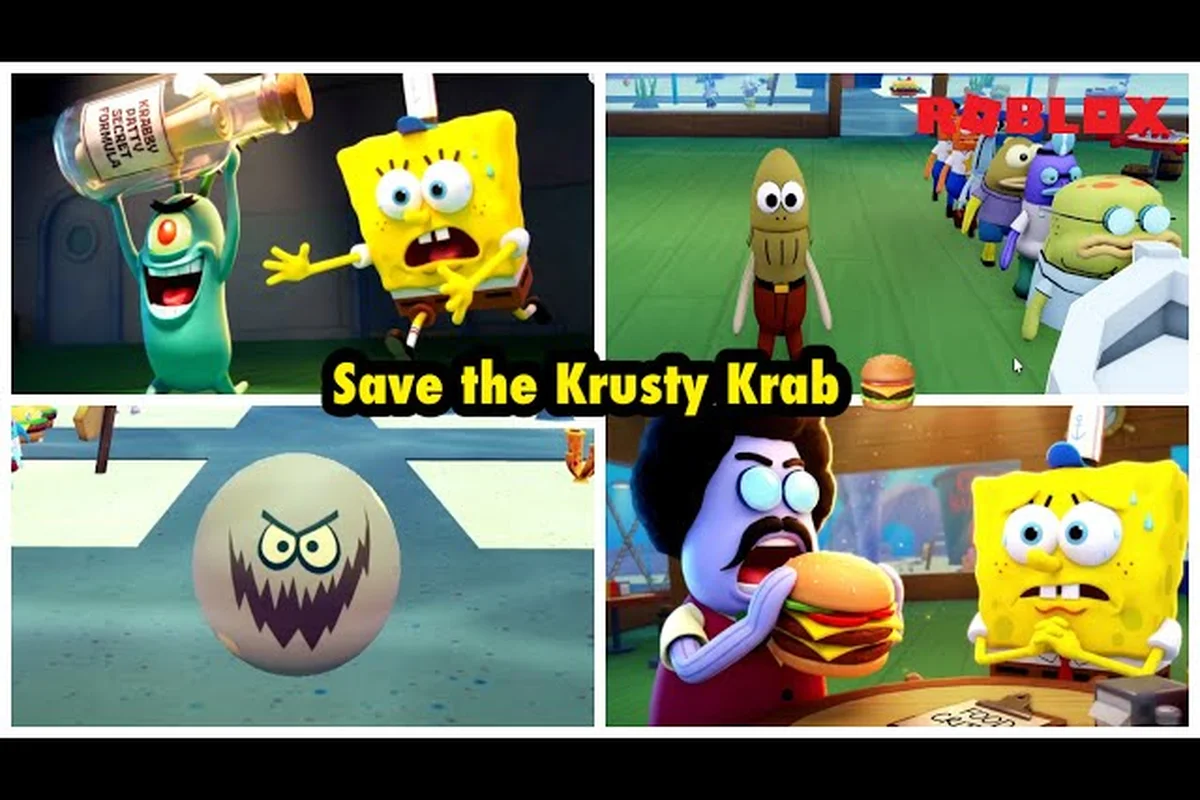
Save the Krusty Krab console crossplay lets a mixed-device crew divide restaurant duties more efficiently, since each player can handle a different station without repeating the same task. Tablet controls make short orders easier to manage, while four-player roles help coordinate cooking, serving, and cleanup; a practical shift works best when players call out station changes, keep an eye on ticket order, and avoid leaving one station unattended.
The official Roblox listing names PC, mobile, tablet and console as supported platforms, and sharkZach007's community gameplay shows a normal session in motion. On a mixed-device crew, the practical difference is control precision: pouring and mopping are easier with a mouse than with a touchscreen.
Console Crossplay Setup
Save the Krusty Krab console crossplay is most effective when every player joins with a clear device plan, a visible station assignment, and a shared order-routing rule. The game supports crews of one through four players, according to community field notes, while public servers can hold as many as 30 players. That larger server population does not mean every visitor belongs in your restaurant crew.
A reliable setup separates three layers: account access, control comfort, and team responsibility. Players should confirm the first layer before attempting a busy shift, choose comfortable controls for the second, and assign stations for the third. This prevents the common failure in which a console player takes every order while the other devices struggle to find nearby tasks.
| Setup element | What to confirm | Recommended result |
|---|---|---|
| Crew size | One, two, three, or four players can form a supported team | Use a four-player crew for a full restaurant |
| Server type | Public servers are reported to support up to 30 players | Keep your restaurant crew separate from nearby groups |
| Device mix | Console and tablet players can coordinate in the same session | Assign every device a specific station |
| Privacy option | The current build has no reported VIP or private-server product | Meet in a public server with a clear marker |
| First objective | Secure a working restaurant area together | Communicate before accepting extra duties |
Community reports support four-player runs, but they do not establish that every public-server visitor will cooperate. Treat the server population figure as a community observation rather than an official matchmaking specification. The most effective Crossplay Readiness Check is simply whether your intended crew can see one another, reach the restaurant stations, and agree on who handles each task.
Joining a Four-Player Crew
Open the supported multiplayer interface from the game, select the public-server option, and look for a crew that is actively claiming restaurant stations. If you already have a group, exchange a short description of each member's device and preferred job before entering. Consistent color, order, or badge choices make people easier to identify when the dining room becomes crowded.
Players new to the broader game can use the Save the Krusty Krab getting started tips to learn the basic shift loop before joining a four-player run. Focus on the first objective, identify the main work surfaces, and avoid asking beginners to manage a station that has several competing tasks.
| Crew size | Best division of labor | Main benefit | Common failure |
|---|---|---|---|
| Solo | Handle all stations in sequence | Full control over priority | Delayed service when tasks overlap |
| Two players | Cooking plus orders; service plus cleanup | Fewer interruptions | Both players chase the same order |
| Three players | Grill, assembly, and front-of-house | Balanced service flow | Register work is left unclear |
| Four players | Register, grill, assembly and drinks, delivery and cleaning | Full station coverage | Dirty trays accumulate without an owner |
Keep a spare plan for when one player disconnects. A four-player assignment should be able to collapse into three without abandoning the register, grill, or dining room. If the disconnected player returns, they can take over the station that needs attention most rather than forcing everyone to reshuffle immediately.
Handling Public Servers
Public servers are useful because they make it easy to find activity, but they also introduce outside players and unrelated groups. Stay near your crew, use a recognizable marker, and do not assume a nearby player has joined your shift. The absence of a reported private-server or VIP product makes clear communication essential.
A useful callout system sounds like this: “I have the register,” “grill is clear,” or “I am taking delivery.” These short statements prevent duplicate work because they tell teammates what is already covered. They also work across devices, since voice chat may not be enabled or convenient for everyone.
Tablet Controls and Console Comfort
Save the Krusty Krab tablet controls are best treated as a separate control profile rather than a scaled-down console layout. Players should test movement, object pickup, and cancellation before accepting a customer. A familiar layout matters because precise restaurant work punishes accidental inputs, especially when tablet movement and console aiming are performed at different speeds.
The verified research for this guide confirms that the four-player station structure is supported, but it does not publish a universal button map for every platform. Avoid presenting unofficial assignments as fixed facts. Instead, use a functional checklist and let each player choose a binding that preserves fast movement and dependable object interaction.
| Control area | Tablet priority | Console priority | Testing result |
|---|---|---|---|
| Movement | Keep movement reachable without covering the workspace | Use analog or digital movement consistently | Walk around the full restaurant |
| Object interaction | Confirm pickup, placement, and cancellation | Test the same sequence with the chosen layout | Complete one order without assistance |
| Camera awareness | Avoid accidental finger drags while carrying items | Monitor camera movement during station turns | Locate every station quickly |
| Order review | Keep the order panel visible while moving | Place controls where order review remains readable | Repeat the first order correctly |
| Cooperative callouts | Use concise role announcements | Assign one player to confirm station status | No two players claim the same task |
Calibrating a Shared Tablet Layout
When several players share one device, they should decide whether the tablet is being used as a dedicated station or as a portable controller. A dedicated tablet is easier to manage because the same player can remain responsible for it. Rotating devices every few minutes sounds flexible, but it can interrupt station ownership and create confusion during rush periods.
Start with a low-pressure shift, move through the full route from order to delivery, and deliberately test what happens when an item is dropped. If the game makes cancellation difficult with the current layout, the player should locate it before the restaurant fills. This is more efficient than discovering the issue after a customer has been waiting and the dining room contains dirty trays.
Reducing Device Disadvantages
A tablet player can reduce the largest disadvantage by using larger touch targets when the game permits them. Console players can reduce theirs by avoiding overly complex control layouts. Neither device should be assigned only to a minor role, because that wastes a crew slot and leaves the most important station without redundancy.
| Situation | Tablet recommendation | Console recommendation |
|---|---|---|
| Busy movement | Keep one hand free for movement | Choose a movement scheme that supports rapid turns |
| Long service route | Test a shorter pickup path | Practice carrying items through the dining room |
| Camera repositioning | Use deliberate drags away from task zones | Keep camera changes predictable near the grill |
| Order overload | Announce the order number aloud | Use a teammate to verify drink or assembly details |
| Device lag | Reduce unnecessary menu interruptions | Avoid changing settings during a critical order |
The most important Device Comfort Baseline is completing the basic sequence without frustration. New controls should feel awkward for a short time, but repeated errors usually indicate that the layout or role needs adjustment. Players who are still learning the restaurant itself can review the Save the Krusty Krab tutorial skip guide for menu navigation and settings context before the first cooperative run.
Cooperation Tips for Four Players
Save the Krusty Krab cooperation tips work best when the crew divides stations rather than merely dividing players. Four people can still fail if everyone watches the same ticket, because the grill, register, assembly area, and dining room create different kinds of pressure. Assign one owner to each work area, then allow that owner to request help when the workload becomes uneven.
Community field notes describe a practical four-role rotation: one player handles the register, one remains at the grill, one owns assembly plus drinks, and one manages delivery and cleaning. This structure reduces duplicate movement and dirty-tray buildup because responsibility does not shift every time a new order appears.
The Four-Station Rotation
| Player role | Primary station | Secondary support | Calls out before leaving |
|---|---|---|---|
| Register lead | Take orders and confirm priorities | Coordinate the dining room | A new order or priority change |
| Grill lead | Cook items and manage grill timing | Deliver components to assembly | When a cook is ready |
| Assembly lead | Combine orders and prepare drinks | Support the register | When an order is complete |
| Floor lead | Deliver food, serve customers, and clean | Handle urgent pickup requests | When a tray or table needs attention |
This division does not require constant supervision, which is ideal for cross-device teams because communication can be imperfect. Each person should announce a station handoff before moving. For example, the floor lead can say, “Taking delivery for table two; the order is on the counter.” The others then know not to repeat that route.
Prioritizing Orders Together
Orders should be sorted by urgency and dependency. A dish may need grill work before it can be assembled, while a completed meal can be delivered immediately. The register lead should identify dependencies rather than simply calling out the earliest ticket, because the visible sequence may not reflect the fastest service path.
| Order state | Best response | Why it prevents bottlenecks |
|---|---|---|
| New order received | Register lead confirms it once | Stops duplicate ticket entry |
| Ingredients needed | Grill lead begins preparation | Keeps assembly from waiting idle |
| Components ready | Assembly lead combines them | Prevents finished dishes from cooling at stations |
| Meal ready | Floor lead delivers immediately | Reduces crowding around the counter |
| Table finished | Floor lead cleans it | Prevents dirty trays from consuming routes |
Use brief status labels instead of narrating every input. “Order three is cooking,” “order three is assembled,” and “order three is delivered” form a clean handoff sequence. The Three-Stage Status Call keeps the whole crew informed while leaving players free to watch their own stations.
Recovering From Common Mistakes
When an item is dropped, misplaced, or assigned incorrectly, the responsible player should own the correction rather than waiting for a teammate to notice. If the grill lead burns something, the floor lead should clear the affected route while the assembly lead prepares what can still be saved. This recovery approach prevents one mistake from creating four separate interruptions.
| Problem | Immediate response | Longer-term adjustment |
|---|---|---|
| Two players take one order | One confirms ownership; the other changes tasks | Announce ticket ownership at intake |
| Dirty tables block movement | Floor lead clears one route first | Clean between deliveries, not only at the end |
| Drinks hold up an order | Assembly lead communicates the delay | Build drink preparation into assembly duties |
| Grill becomes overloaded | Register lead sequences compatible items | Ask for help before several items queue |
| A player disconnects | Remaining roles merge according to priority | Keep a three-player fallback plan |
Community feedback is a useful source of role ideas, but exact timers, burn thresholds, patience limits, energy caps, and star-rating formulas are not officially published or supported by a consistent public dataset. Treat exact percentages or minute-by-minute values from players as unverified. Reliable cooperation should focus on visible readiness, station ownership, and smooth handoffs rather than invented numbers.
Community, Group, and Favorite Rewards
Save the Krusty Krab community rewards and Save the Krusty Krab group rewards are best treated as engagement features to verify inside the game. The available research confirms that Roblox badges can track solo, two-player, three-player, and four-player runs. It does not provide a verified formula for every reward, so players should check the current reward panel rather than rely on old reward charts or unsupported minimum-run times.
The Progressive Crew Badge Record appears especially relevant to crossplay because it can reflect different crew sizes. A badge tied to a four-player run reinforces the value of the station rotation described above, while smaller badges still recognize individual or smaller-group efforts. Exact badge names and unlock conditions may vary by the current game version, and no VIP or private-server product was reported in the reviewed build.
| Reward type | What the research supports | What players should check in-game |
|---|---|---|
| Community or badge reward | Badges can represent solo through four-player runs | Exact badge name and current criteria |
| Group reward | Team participation is represented in the reward structure | Whether the reward is shared, individual, or both |
| Like reward | Engagement features may be tied to community activity | Current like condition and claim location |
| Favorite reward | Favoriting may be part of the engagement reward path | Current favorite threshold and eligibility |
| Crew achievement | Four-player station play is a supported scenario | Whether one shift qualifies or progress must accumulate |
Community Rewards and Badge Progress
A badge can turn an ordinary shift into measurable progress, especially when a team has just learned a new station arrangement. After a successful run, check whether the badge updated, whether every eligible player received credit, and whether the next requirement is tied to crew size or total runs. These checks are simple, but they help catch an issue before the whole crew loses progress.
Players should also avoid using outdated reward guides. Changes to badges, likes, favorites, and group goals can occur without the same level of documentation as core restaurant mechanics. The game’s current interface is the best source for claim availability, while community reports are useful for understanding which activities players expect to count.
Group Rewards and Team Goals
Group rewards are most useful when the team agrees on what it is trying to accomplish. A four-player group can pursue group goals together, but individual reward progress still depends on each player earning the required activity. After a shift, compare the visible progress bars and identify any gap rather than assuming the entire crew advanced equally.
The Reward Claim Audit takes less than a minute: open each console player’s reward panel, note the current like or favorite count, and compare that figure with the group target. For example, if the crew has 7 of the required 10 likes, the remaining three can be claimed directly instead of incorrectly starting another full shift. This makes the audit useful for Save the Krusty Krab console crossplay, where console and tablet players can contribute to the same group objective while each account’s progress remains visible separately.
-
Check each player’s badge or progress display.
-
Compare the result with the requirements shown in the current interface.
-
Confirm whether the reward is automatically issued or must be claimed.
-
Record the current requirement before starting the next shift.
These steps are particularly helpful when Save the Krusty Krab like and favorite rewards are part of a group objective. The group may need collective engagement, while each member still needs a valid like or favorite action. Always follow the labels and counters displayed by the current build.
Likes, Favorites, and Verified Limits
Save the Krusty Krab like and favorite rewards should be evaluated with the same caution as any other community-driven feature. The research confirms that engagement-related rewards exist as a topic, but it does not establish exact thresholds, timing rules, or payout formulas. Avoid repeating specific counts unless the live game interface displays them and no newer update has replaced them.
| Check | Reliable method | Reason it matters |
|---|---|---|
| Like eligibility | Read the current in-game requirement | Thresholds may change |
| Favorite eligibility | Confirm the displayed counter | Avoid assuming a fixed target |
| Group credit | Compare each member’s progress | A team action may not credit everyone equally |
| Badge update | Inspect progress after completing a run | Confirms participation was recorded |
| Reward claim | Follow the current claim prompt | Prevents an earned reward from being overlooked |
Do not treat unofficial reward calculators as authoritative. Exact energy caps, customer-growth curves, spawn schedules, patience timers, and rating formulas remain outside the verified data boundary. This guide deliberately avoids presenting those values as facts, which keeps the reward advice reliable even when the game changes.
A broader breakdown of progression currencies and task payouts is available in the Save the Krusty Krab doubloon rewards guide, although community badges, likes, favorites, and group goals should still be checked against the current event panel.
Practical Crossplay Workflow and Troubleshooting
A practical Save the Krusty Krab console crossplay workflow should be repeatable from invitation through reward review. Start with a voice or text check, identify every device, assign four roles, and run a short practice round. After the round, confirm that station work remained balanced and that any badge or group objective received credit. This routine catches problems without turning the first attempt into a long test session.
Before the Shift
Use a short setup checklist and make sure nobody is joining while the first order is already active. Tablet players should test the touch layout, console players should verify their selected controls, and everyone should identify the restaurant’s main stations. If one member cannot reach a station comfortably, adjust the role before starting rather than during the rush.
-
Mark the crew with the same visual cue.
-
Assign register, grill, assembly, and floor roles.
-
Test movement, pickup, placement, and cancellation.
-
Confirm how the crew will communicate order status.
-
Open the reward panel to note the current goal.
During the Shift
Give one player permission to call order priority, but let the register lead own that decision by default. Every station handoff should contain three details: the item, the current state, and the next destination. This structure remains understandable when messages are brief and avoids relying on a player looking directly at someone else’s screen.
| Symptom | Likely cause | Practical fix |
|---|---|---|
| Tablet taps register as movement | Touch layout or drag sensitivity | Adjust controls and retest away from the counter |
| Console player misses a pickup | Camera or control mismatch | Reposition the character and use a simpler pickup sequence |
| Crew repeats orders | No clear intake owner | Give the register lead exclusive order-entry responsibility |
| Rewards do not appear | Wrong progress condition or unclaimed reward | Check the live requirement and claim prompt |
| Public-server interference | Crowded shared area | Stay with the marked crew and ignore unrelated tasks |
After the Shift
Review rewards before leaving the server, because later group activity may not credit a run that was never properly completed or recorded. The Crossplay Debrief includes checking badge progress, group goals, like or favorite counters, and which stations caused delays. Use the findings to change only one or two roles next time so the team can identify what improved.
| Debrief item | Question to answer | Action for the next run |
|---|---|---|
| Badge progress | Did the run register for every player? | Repeat a clean four-player shift if not |
| Group goal | Did the group counter increase? | Confirm which action qualified |
| Like or favorite task | Does the current counter meet the visible rule? | Complete the required interaction |
| Station balance | Which station caused repeated delays? | Adjust that role or add support |
| Communication | Were handoffs clear? | Keep the same short callout format |
Players who want a broader view of crew size, solo play, and co-op organization can consult the Save the Krusty Krab multiplayer overview. The same role-based method also improves larger sessions, although the four-station plan remains the clearest starting point for a mixed-device team.
Frequently Asked Questions
Does Save the Krusty Krab console crossplay support four players?
Community field notes confirm that four-player crews are supported and that Roblox badges can track solo, two-player, three-player, and four-player runs. Public servers reportedly hold as many as 30 players, but that number includes everyone in the server rather than one restaurant crew. Assign four distinct stations for the most stable division of labor.
How do Save the Krusty Krab tablet controls compare with console controls?
Tablet controls prioritize touch accuracy, camera movement, and comfortable interaction with nearby work surfaces, while console controls depend on the selected layout and camera behavior. No universal cross-platform button map is published in the available research, so test pickup, placement, cancellation, and movement before a busy shift rather than assuming both devices work identically.
What are the best Save the Krusty Krab cooperation tips for a mixed-device crew?
Assign one player to the register, one to the grill, one to assembly and drinks, and one to delivery and cleaning. Announce order status before moving between stations, and give every task one clear owner. This structure is based on community field notes and reduces duplicated orders, idle counters, and dirty-tray buildup.
Do Save the Krusty Krab group rewards credit every player equally?
Not necessarily. Group progress and individual badges may be separate systems, so a team action can advance a shared counter without crediting every member’s personal record. After each run, compare each player’s visible badge or progress display. Use the current in-game requirements as the authority instead of assuming a shared event pays everyone automatically.
How do Save the Krusty Krab community rewards and like or favorite rewards work?
Community badges, likes, favorites, and group goals are engagement-related features, but exact thresholds and formulas are not consistently documented in the available research. Check the live reward panel, confirm the current condition, and review each player’s progress after completing activity. Avoid depending on outdated calculators, since reward requirements may change with the game version.